
A smart hygienic decision
SegoSteve®
Connection between SegoSoft and the practice’s own patient administration system
Anyone acquainted with the simple and reliable handling of SegoSoft documentation software will find that SegoSteve instrument administration offers a product featuring the simple operation and user-friendliness of all Comcotec products while also providing excellent process reliability.
Secure administration of sterile materialsSegoSteve offers paperless, simple and fast assignment of sterilisation batches and instruments to the patient.
Sterile goods administration with security
- Simple and fast assignment of the instruments used for the patient to the digital patient file
- Efficient add-on for paperless documentation of the sterile materials cycle
- Connection to the practice management system via standardised interfaces
- Accessible in the practice software at any place of treatment
Protect yourself from the risk of potential claims – Efficient, fast and secure
SegoSteve – the efficient add-on for paperless documentation of the sterile-materials cycle
With SegoSteve, documentation of the entire sterile-materials cycle can now at last be completely paperless, ranging from documentation of the preparation processes using SegoSoft and print-out of barcode labels for identification of sterile materials using SegoLabel through to documentation of use in patients using SegoAssign.

SegoSoft Steve sterile-materials administration allows simple administration of your instruments in a manner appropriate to your practice

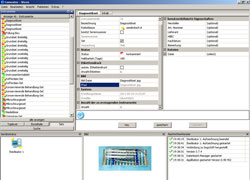
Recording of connected medical equipment (sterilisers, thermodisinfectors) is automatic. After a recording process the release screen will immediately appear, clearly assigning the instruments to the process.

After release of the process and instruments the dialogue will automatically appear, facilitating printing of the requisite labels for the sterile materials.

Assignment to the patient takes place directly from your patient administration's patient mask, where individual instruments as well as set and container contents are selectively allocated to the patient. For connection with patient administration the interfaces VDDS-Media and GDT are supported.

In the patient view you receive all information on the instruments used for your patient. A click of the mouse gives you immediate access to the complete and correct process of preparation, verifying that only perfectly prepared instruments have been used for your patient.
Operating manuals
Connectivity
System requirements
The system performance for the Sego®- range should exceed the recommended minimum depending on the number and type of connected devices. This will ensure trouble-free operation.
Sego® is designed to run on standard personal computers. The configurations given here have been tested on a number of different systems.
Recommended
- Adobe Acrobat Reader*, recommended version 11.08 or higher
- Backup-System
Operating systems
- MS Windows 10/11 Pro (recommenden)
SEGO®s data security and access management functions may be restricted if used with other operating systems.
Hardware (recommended)
- CPU frequency of min. 3 GHz (4 GHz or higher recommended)
- Min. 4 GB RAM (8 GB ore more recommended)
- SVGA graphics system with 1,024 x 768 pixels (21” monitor, HD 1,920 x 1,080 recommended)
- Hard drive with min. 256 GB free memory (500 GB and above recommended)
- If no serial interface is available on the PC, it is possible to integrate serial devices via USB interface with SegoSerial Industrial Grade Converter
- Internet ** (empfohlen mit Ethernetanschluss)
* Alle verwendeten Markennamen und Bezeichnungen sind eingetragene Warenzeichen und Marken der jeweiligen Eigentümer und dienen hier nur der Beschreibung
** Zwingend erforderlich mit internetfähigen Geräten; bei entsprechenden Add ons sowie bei Remote Support – ansonsten kann die volle Funktionsfähigkeit nicht gewährleistet werden!
Product | Version |
SegoSoft Process documentation | 7.0.68 |
SegoLabel | 3.7.26 |
SegoAssign | 1.6.59 |
![]() |
Certificate Download Comcotec Root Certificate |
![]() |
MD 5 d72b3ab1c6808970e6680c2046b9fa13 |
![]() |
SHA256 abd1a11adb3a756512801011b3e776edb0eb53ac6b14e5d6c6a6c980ce6082eb |
Upgrade from version 6 to 7
With the introduction of the new SegoSoft – Version 7, the support for SegoSoft – Version 6, in relation to signature renewals and software updates, will be terminated on 01.09.2016.
To upgrade from version 6 to 7, please fill in the current ServiceCard Antrag application.
With this registration you will receive your 11 – digit number that you need for the upgrade.
Extensions
SEGO | CONNECT – The perfect connection for the practice network
SEGO | LABEL – Software for label printing
Accessories
SEGO | STARTER-KIT – Printer and labels
Consumables
Paper seals with indicator class 1 according to DIN EN ISO 1114 0-1
Fax-Order for printer accessories
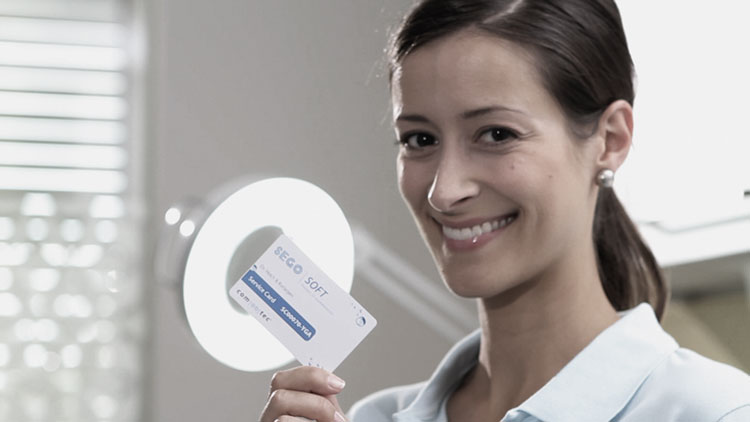
SegoSoft – no worries, thanks to Service Card
Comcotec offers SegoSoft users a comprehensive software-servicing and maintenance contract for optimum customer care.
The ServiceCard bundles all services necessary for problem-free use into a clear and easily calculable package.
We ask for your understanding that without Service Card no phone support can be done.
Your Service Card offers you the following:
- Email and telephone support for all application-specific questions
- Constant software updates to comply with the latest documentation regulations
- Renewal of the digital signature every other year SegoSoft product updates
- Die vom BSI vorgeschriebene Erneuerung der digitalen Unterschrift durch die Herstellerfirma Comcotec Messtechnik GmbH für die Produkte SegoSoft, SegoSoft Miele Edition und MELAsoft
Apply immediately the ServiceCard for your comprehensive care and support.


